
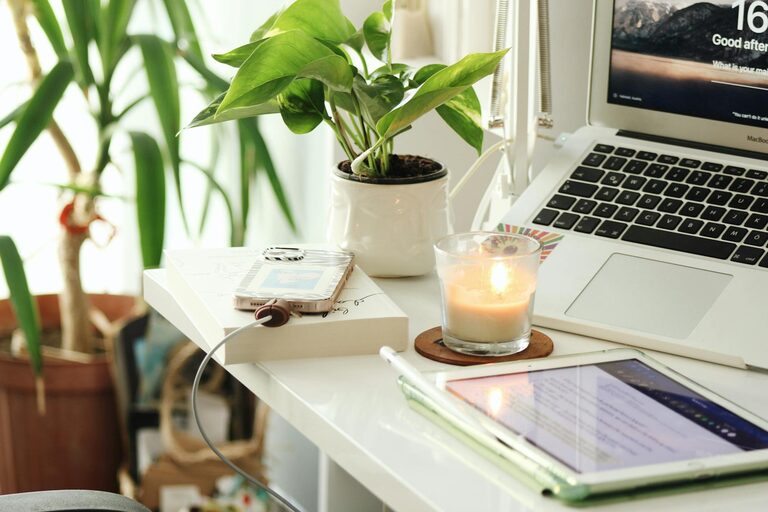
Creating a cozy and productive home office environment is essential for anyone working remotely or managing tasks from home. A well-designed workspace can boost your focus, reduce stress, and help maintain a healthy separation between work and personal life. In this post, we’ll share practical tips to transform your home office into a space that feels inviting and maximizes your productivity.
Choose the Right Location
Consider Natural Light
Position your workspace near a window if possible. Natural light improves mood, reduces eye strain, and helps regulate your daily rhythm. Avoid glare on your computer screen by placing your desk perpendicular to the window.
Minimize Distractions
Select a quiet area of your home where interruptions are minimal. If a separate room isn’t available, use room dividers or noise-cancelling headphones to help maintain focus.
Invest in Comfortable Furniture
Ergonomic Chair and Desk
Choose an ergonomic chair that supports your back and encourages good posture. Your desk should be at a height where your arms rest comfortably while typing. This setup prevents strain and fatigue during long work hours.
Add Cushions and Footrests
Small additions like cushions for lumbar support or footrests can increase comfort. Adjust these elements until you find what feels best for your body.
Organize Your Workspace
Keep Essentials Within Reach
Arrange frequently used items like your phone, notebooks, and pens nearby. This reduces disruptions caused by repeatedly getting up or searching through clutter.
Use Storage Solutions
Shelves, drawers, and desk organizers help keep your space tidy. Clear surfaces promote better concentration and make it easier to find what you need.
Declutter Regularly
Spend a few minutes at the end of each day tidying your desk. Removing clutter helps reset your mindset for the next work session.
Personalize Your Space
Include Plants
Adding greenery improves air quality and brings a calming touch. Choose low-maintenance plants like succulents or spider plants if you’re new to plant care.
Decorate Thoughtfully
Incorporate artwork, photos, or meaningful objects that inspire you without overwhelming the area. Personal touches make your workspace more inviting.
Manage Lighting Effectively
Layer Your Lighting
Combine natural, ambient, and task lighting to reduce eye strain. Use adjustable desk lamps for focused work and softer lights for breaks or video calls.
Avoid Harsh Overhead Lights
Bright ceiling lights can cause glare and fatigue. Consider dimmable bulbs or lamps with warm tones to create a cozy atmosphere.
Establish a Routine
Set Clear Work Hours
Define specific start and end times for your workday to maintain balance. Consistent routines help your mind switch between work mode and relaxation.
Take Regular Breaks
Incorporate short breaks every hour to stretch, hydrate, and rest your eyes. These pauses improve focus and prevent burnout.
Minimize Digital Distractions
Use Focus Tools
Apps or browser extensions that block distracting websites can help you stay on task. Set notifications to “Do Not Disturb” during deep work periods.
Keep Your Desktop Clean
Organize your computer desktop and close unused tabs. A clutter-free digital workspace complements your physical environment.
Incorporate Comfort and Wellness
Adjust Temperature and Ventilation
Ensure your office is neither too hot nor cold. Proper airflow contributes to comfort and alertness.
Practice Good Posture
Regularly check your posture and adjust your seating as needed. Consider standing desks or sit-stand converters for variety.
Conclusion
Creating a cozy and productive home office doesn’t require a complete makeover. Small changes like optimizing light, organizing your desk, adding personal touches, and maintaining good habits can make a significant difference. Tailor these tips to fit your needs and lifestyle, and enjoy a more comfortable and efficient work-from-home experience.