
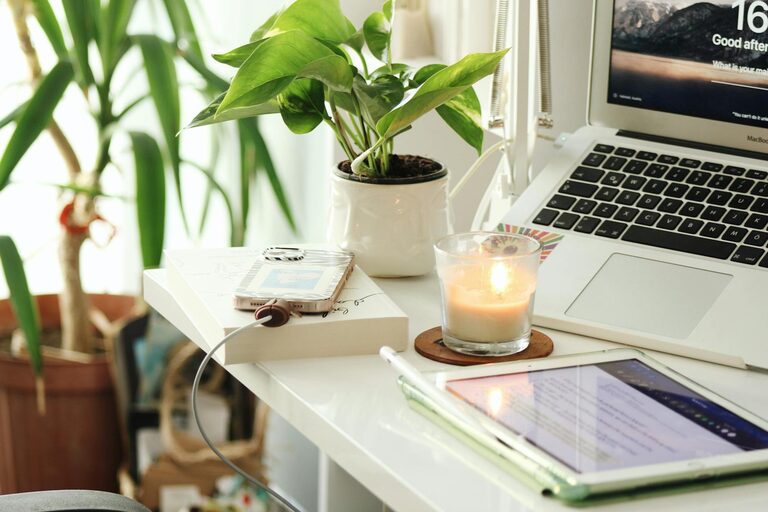
Creating a home office that feels both cozy and productive can make a significant difference in your work-from-home experience. A well-designed workspace enhances focus, reduces stress, and boosts motivation. Whether you have a dedicated room or a small corner, these tips will help you set up an ideal home office that supports your workflow while keeping you comfortable.
Choose the Right Location
Consider Natural Light
Selecting a spot near a window allows you to benefit from natural light, which can improve mood and reduce eye strain. Make sure your desk is positioned to avoid glare on your computer screen.
Minimize Distractions
Choose a quiet area away from high-traffic zones in your home. This will help maintain concentration and separate work from leisure activities.
Invest in Comfortable Furniture
Ergonomic Chair
Investing in a good ergonomic chair is essential. It supports your posture and prevents back pain during long hours of sitting.
Functional Desk
Choose a desk that fits your space and suits your work style. Consider adjustable desks or desks with enough surface area for your computer and other essentials.
Organize Efficiently
Declutter Your Space
Keep your desk tidy and only store items you regularly use. Clutter can be distracting and diminish productivity.
Use Storage Solutions
Incorporate shelves, drawers, or organizers to keep documents, office supplies, and gadgets neatly arranged and easy to access.
Add Personal Touches
Bring in Cozy Elements
Soft rugs, cushions, or a small throw blanket can add warmth to your office space and make it inviting.
Include Plants
Adding greenery can improve air quality and create a calming environment. Choose low-maintenance plants if you’re new to indoor gardening.
Display Inspiring Items
Photos, artwork, or motivational quotes can make your workspace feel personal and encourage positivity.
Optimize Lighting
Layered Lighting
Use a combination of natural light, overhead lighting, and task lighting like desk lamps. Warm light tones often create a cozy atmosphere while bright task lights help with focus.
Adjustable Brightness
Having adjustable lighting options allows you to customize the environment depending on the time of day and your work needs.
Maintain Good Air Quality
Ventilation
Keep windows open when possible to allow fresh air inside. If that isn’t an option, consider air purifiers to ensure good airflow.
Avoid Overheating
Maintain a comfortable room temperature. Overheating or cold rooms can distract you and reduce productivity.
Establish Boundaries
Separate Work and Home Life
If space allows, keep the work area distinct from your living space to help mentally separate work from relaxation.
Set a Routine
Use your home office only during work hours. This helps maintain focus when working and rest when off the clock.
Use Technology Wisely
Reliable Equipment
Ensure your computer, internet connection, and peripherals are reliable to avoid frustration and downtime.
Wireless Solutions
Minimize cables by using wireless keyboards, mouse, and printers if possible. This creates a cleaner and more organized workspace.
Take Breaks and Move
Incorporate Movement
Set reminders to stand, stretch, or walk briefly every hour. This improves circulation and reduces fatigue.
Comfortable Flooring
If you stand while working, consider an anti-fatigue mat to reduce discomfort.
—
By carefully selecting the location, investing in comfortable furniture, organizing efficiently, and adding personal touches, you can create a home office space that’s both inviting and functional. Remember to also pay attention to lighting, air quality, and technological needs to optimize your environment. Finally, taking breaks and setting boundaries will help you maintain a healthy work-life balance. With these tips, your cozy and productive home office awaits!