
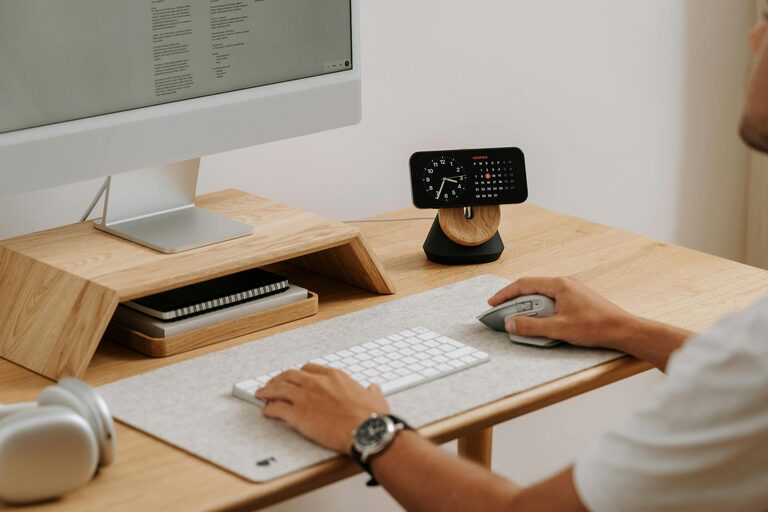
Creating a productive home workspace is essential as more people work remotely or have flexible schedules. A well-designed workspace can improve your focus, reduce distractions, and help you maintain a healthy work-life balance. Whether you have a dedicated office room or just a small corner in your living area, these tips will help you create an environment that supports your productivity.
Choose the Perfect Location
Find a Quiet Spot
Selecting the right location is the first step. Look for a quiet area of your home where you can work without frequent interruptions. Avoid high-traffic zones like kitchens or living rooms if possible.
Consider Natural Light
Natural light can boost your mood and energy levels. Position your workspace near a window to take advantage of daylight. If natural light is limited, invest in good quality lighting that mimics daylight to keep your space bright.
Invest in Functional Furniture
Ergonomic Chair and Desk
Comfort is key to staying productive. Choose an ergonomic chair that supports your back and promotes good posture. Your desk should be at a height that allows your arms to rest comfortably while typing.
Use Adjustable Equipment
Consider adjustable desks or monitor stands to customize your workspace according to your needs. Standing desks can be a great option to alternate between sitting and standing throughout the day.
Keep Your Workspace Organized
Declutter Regularly
A tidy workspace reduces distractions. Keep only essential items on your desk and store other supplies neatly in drawers or shelves.
Use Organizational Tools
Incorporate organizers like trays, file holders, and cable management clips to keep your desk orderly. Label storage boxes and drawers to make finding items quick and easy.
Personalize Your Space
Adding personal touches can make your workspace more inviting. Photos, artwork, or plants can boost your mood and creativity. However, keep decorations minimal to maintain focus.
Set Boundaries and Routines
Define Work Hours
Establish clear working hours to create a routine. Communicate your schedule to household members to minimize interruptions.
Take Breaks
Regular breaks help maintain concentration and prevent burnout. Step away from your desk every hour, stretch, or take a short walk to refresh your mind.
Use Technology Wisely
Reliable Internet Connection
A strong and stable internet connection is crucial for remote work. If necessary, upgrade your router or use a wired connection for better performance.
Productivity Tools
Use apps and software to manage tasks, schedule meetings, and minimize distractions. Tools like calendars, to-do lists, and focus timer apps can help you stay organized and efficient.
Optimize for Comfort and Health
Maintain Good Air Quality
Fresh air improves alertness. Open a window when possible or use an air purifier to keep the air clean.
Control Temperature
Ensure your workspace has a comfortable temperature. Use fans or heaters as needed to avoid discomfort.
Mind Your Posture
Pay attention to your posture throughout the day. Use lumbar cushions or footrests if necessary to avoid strain.
Final Thoughts
Your home workspace should be a place where you feel motivated and comfortable. By choosing the right location, investing in the right furniture, staying organized, and setting clear routines, you can create an environment that supports your productivity and well-being. Remember, small changes can make a significant difference in how effective and enjoyable your work-from-home experience is.